13. June 2025
mydocma MM dashboard: facts, deadlines, progress – everything on the screen
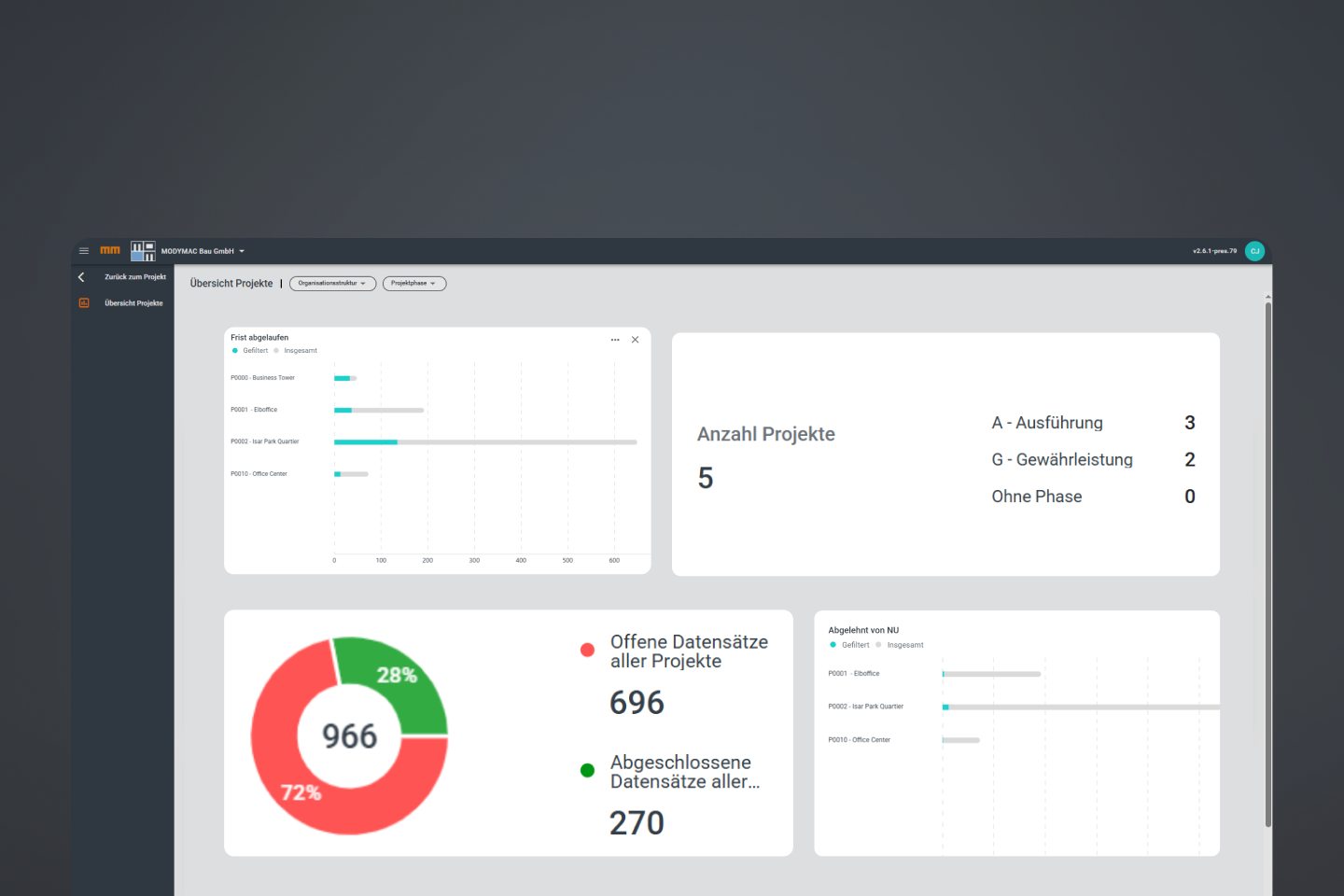
The new MM dashboard summarises all relevant defect information in real time. Clearly visualised using bar charts and pie charts. Whether on the construction site or in the office: you always have an overview of the current status of your projects.
What does the mydocma MM dashboard show?
The mydocma MM dashboard provides a compact overview of relevant defect project data – up-to-date and clearly organised.
- Overview of the number of projects – broken down by project phase (execution & warranty)
- Overview of open and completed data records
- Processing status – status of recorded defects: e.g. deadline overruns, NU release notifications, NU rejections, etc.
Intuitive dashboard with flexible layout
The mydocma MM dashboard can be easily customised to meet individual information requirements. Clear visualisation, simple navigation and ease of use help you to work efficiently.
- Filtering by organisational structure and project phase
- Sorting – ascending/descending by no., name, number of data records (filtered/total)
- View options – large view, show and hide functions, +x hint for invisible projects
- Responsiveness – optimum display on all end devices (PC, tablet & smartphone)
- Configuration – individual diagrams thanks to configurable layout function with dashboard release
- Usability – intuitive operability and quick orientation (tile overview, three-point menu, counter display, etc.)
Reduce complexity – create clarity
The centralised processing of defect data saves teams valuable time, reduces risks and provides a basis for well-founded decisions. The structured dashboard creates maximum transparency by presenting relevant information on the defect processes in a way that is easy for users to understand.
Enter a new level of project transparency now – with condensed data, intuitive functions and a maximum overview.