1. April 2026
Preview: Project Space – all project documents in one place!
Your project space for documents, information and resources
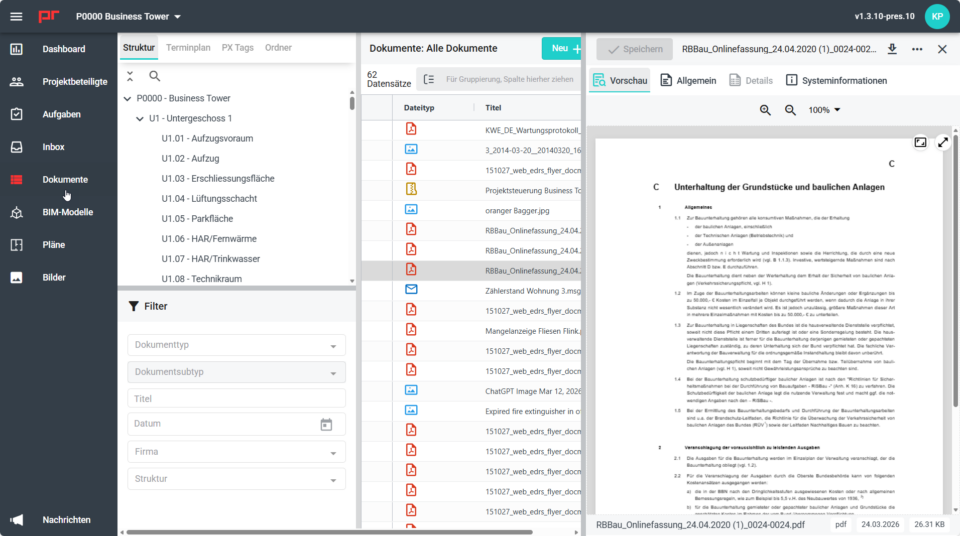
Our new project room module, mydocma PR, brings together documents, building plans, spatial layouts, images, BIM models and schedules within a comprehensive user interface. As a central repository for project files from the mydocma modules, it enables structured, secure and efficient collaboration.
mydocma PR – Key facts at a glance
- Automated storage for project documents from the various mydocma modules
- Easy integration of documents not created in mydocma
- Secure access control via roles and permissions
- Structured organisation through categorisation and clear document information
- Quick navigation thanks to a clear menu structure, various view modes and a spatial object structure
- Convenient document handling via download, sharing, document and metadata editing, etc.
- Quick content retrieval via flexible filter logic and full-text search
Centralised storage – no more data inconsistencies
A first glimpse of mydocma PR: the following screenshoots show how the project space makes information structured, filterable and directly available within the context of use.
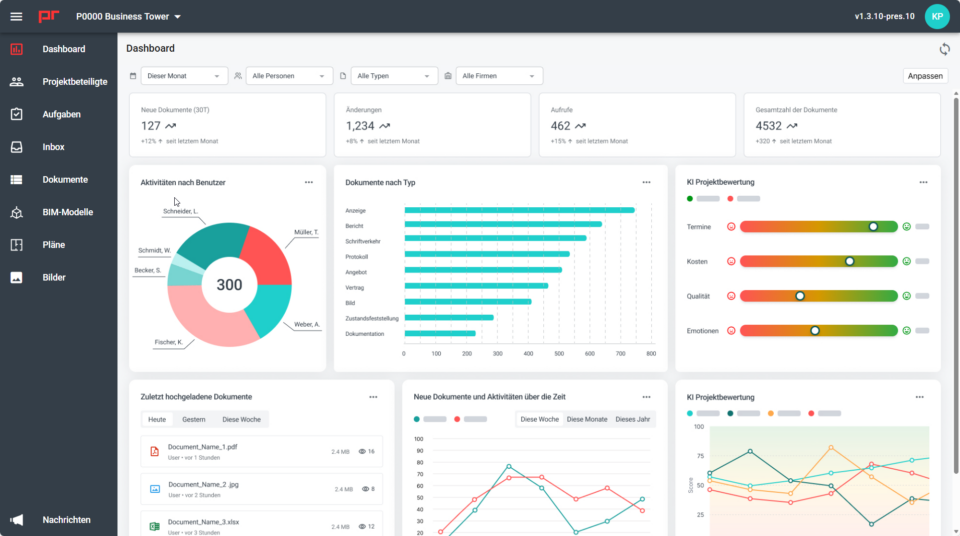
Dashboard
The dashboard provides a concise overview of activities and content within the project space and allows you to filter results by time period, people, document types and companies.
File formats
The file type selector allows you to filter files by format, such as images, PDFs, Word documents, Excel spreadsheets, PowerPoint presentations, emails, CAD files, BIM files, etc. If a document contains multiple file types, this is indicated by a special icon.

Filter
Thanks to freely combinable filter criteria such as document type, title, date, structure, company or PX tags, the content you are looking for can be found quickly and accurately, even within large document collections.
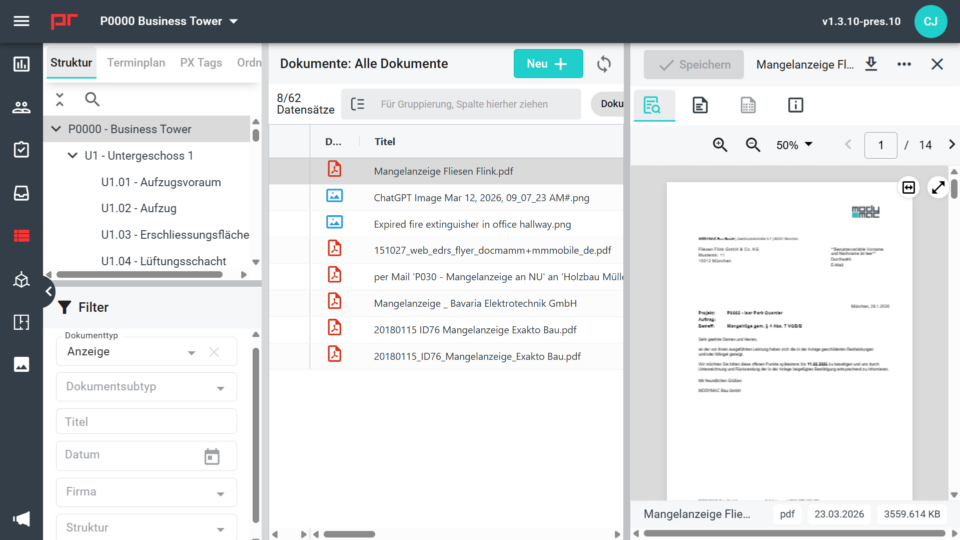
Grouping
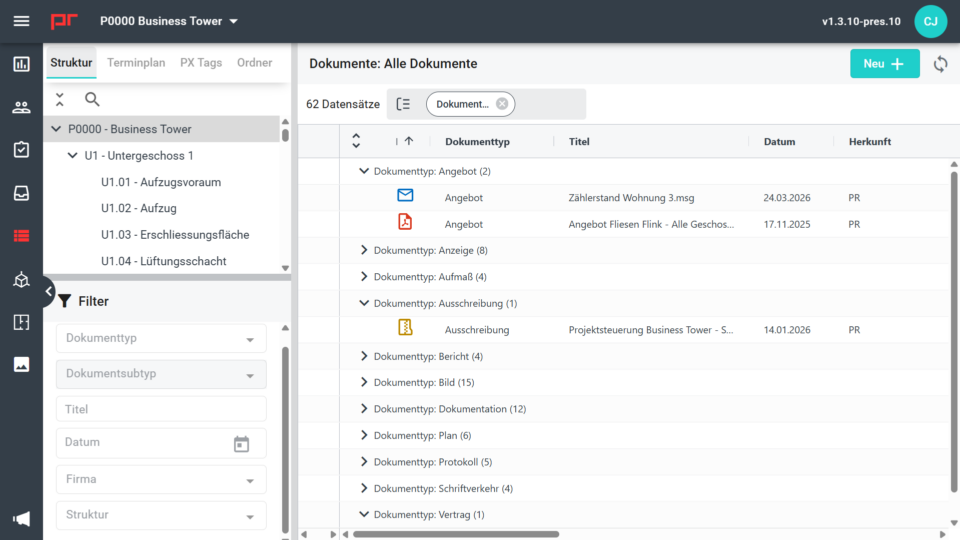
The grouping function organises documents by document type, for example, and provides a clear overview thanks to expandable and collapsible groups and hit counts.
System information
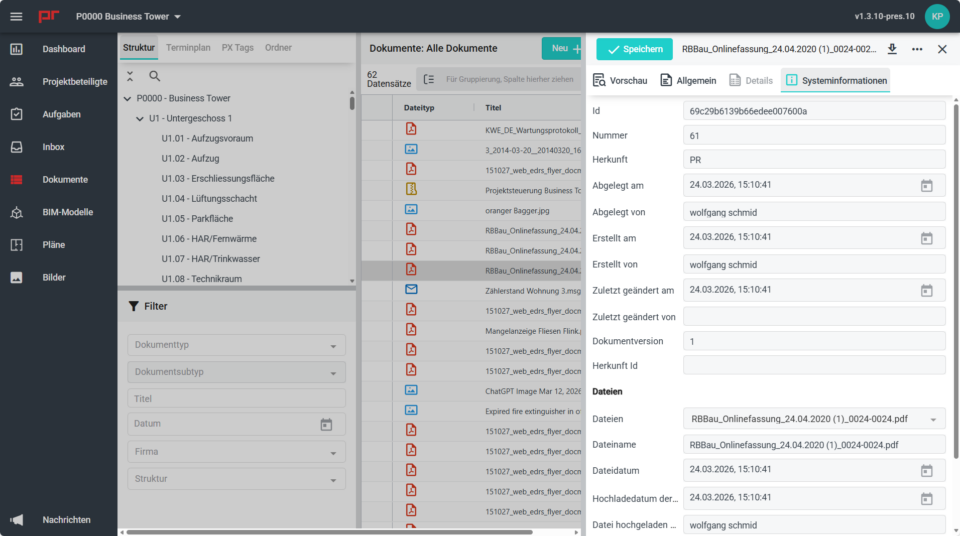
All relevant metadata, such as ID, source, version, and creation, modification and upload details, is available in a transparent and traceable manner.
Preview
The preview displays documents directly within the project space and allows for quick review using page, zoom and view controls – without the need to download them first.